Argus Hub
Argus Hub is a self-hosted server that collects usage data from multiple Argus clients and presents an org-wide dashboard. It is the on-premises alternative to the hosted argus-dash backend.
Each person points Argus at the Hub and uses the normal sync command. Hub receives the usage snapshot at POST /api/sync, combines it in one database and tags it by user. Nothing is forwarded anywhere else. The raw prompt and response text stays on each person's machine, as do their BYO model API keys.
Set up a Hub
Hub requires Node.js 20.17 or later, or Bun 1.0 or later. Start it with:
npx @agentdeploymentco/argus-hub serve --port 4343The first startup creates data/hub.db, generates an API key and generates an admin password. Both values are printed once, so copy them to a secure location before closing the terminal.
The API key authenticates uploads from Argus clients. The admin password protects the dashboard at http://localhost:4343/login and the Hub's read-only MCP endpoint. Set ADMIN_PASSWORD before starting Hub to keep the same dashboard password across restarts. If you do not set it, Hub generates a new password each time it starts.
Keep the credentials private
The API key allows clients to upload data. The admin password allows access to the organization's pooled usage data. Do not put either value in source control or share them in a public channel.
Connect Argus clients
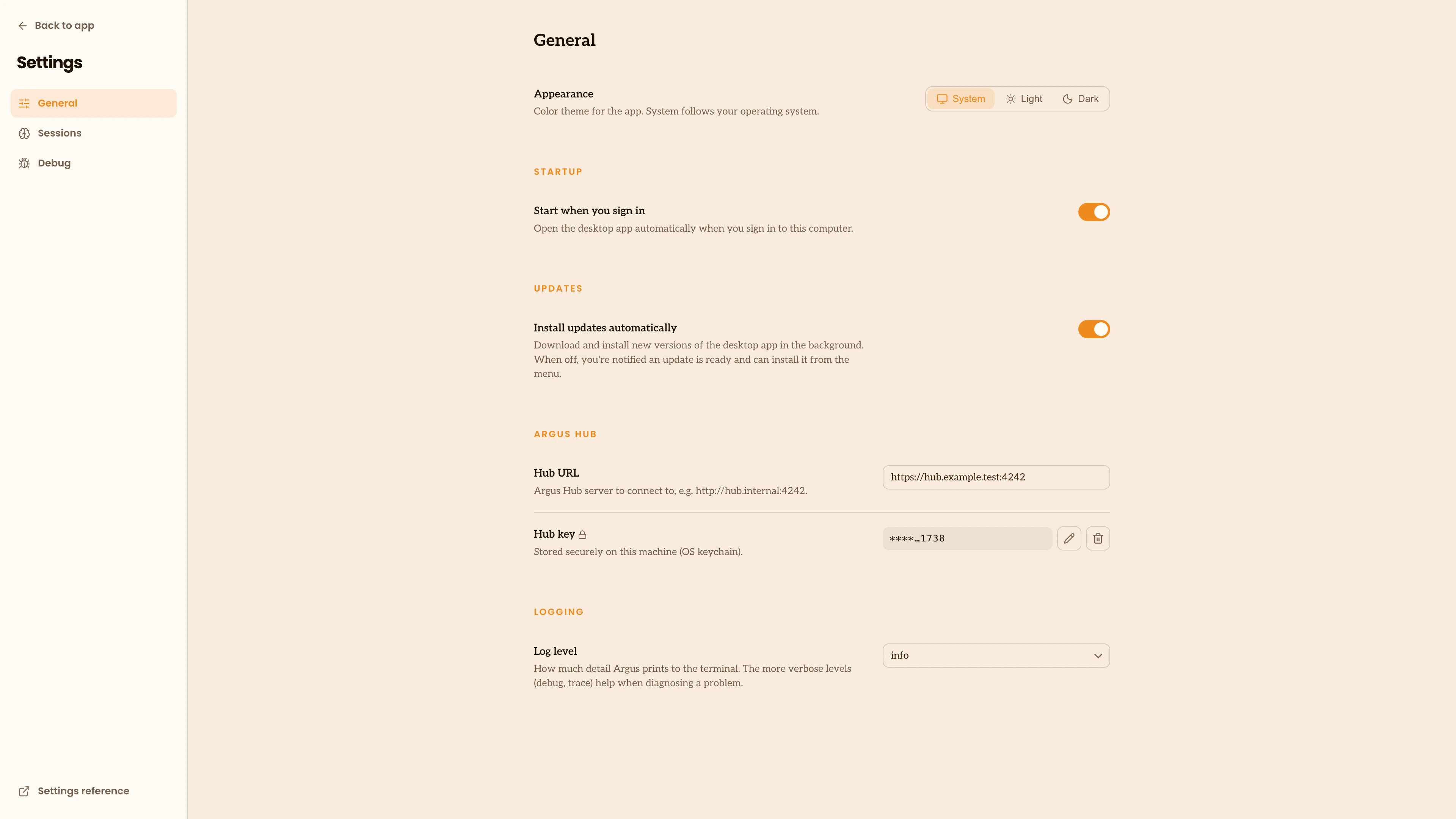
In the desktop app, open Settings and enter the Hub URL and API key. The app uploads on a schedule after the connection is configured.
The app stores the key securely and shows a masked value after you save it.
For command-line use, save the URL in Argus and store the key in the local secret store:
npx @agentdeploymentco/argus config set hub.url https://hub.internal:4343
npx @agentdeploymentco/argus secret set ARGUS_HUB_KEYThe second command prompts for the key without putting it in argus.json. You can also configure one process with environment variables:
export ARGUS_HUB_URL=https://hub.internal:4343
export ARGUS_HUB_KEY=hub-example-keyWith a Hub configured, argus sync uploads to that Hub instead of the hosted service. No argus login or OAuth flow is needed. Hub identifies a person from the client's latest identity signal, using the Claude or Codex OAuth email when available and falling back to the local Git name. Repeat clients from the same person are grouped together.
The desktop app syncs automatically. If you run Argus from the command line, argus run includes the same upload job every five minutes by default:
npx @agentdeploymentco/argus runUse --sync-interval N with run to change the interval in minutes. Use --no-sync when you want to keep indexing and serving locally without uploading.
To upload one snapshot immediately:
npx @agentdeploymentco/argus syncConfigure the Hub
Hub reads hub.json from the current directory, then environment variables, then command-line flags. A later source takes precedence over an earlier one.
| CLI flag | Environment variable | hub.json key | Default | What it controls |
|---|---|---|---|---|
--port | HUB_PORT | port | 4343 | Port Hub listens on |
--data-dir | HUB_DATA_DIR | dataDir | ./data | Folder containing hub.db |
| None | ADMIN_PASSWORD | None | Random | Dashboard and MCP password |
| None | HUB_INSECURE_COOKIE_HOSTS | None | None | Hostnames allowed to use a non-Secure cookie for private plain-HTTP deployments |
For example:
{
"port": 4343,
"dataDir": "/var/lib/argus-hub"
}There is no HUB_KEY setting. Hub stores API keys in hub.db. If the database has no API keys when Hub starts, it generates a key for the Default organization and prints it to the terminal.
Only use HUB_INSECURE_COOKIE_HOSTS for hostnames reachable through a private network. Never list a hostname that is reachable from the public internet.
To rotate a key, delete the old key's row from the Hub database, then restart Hub. Hub only generates a new key when the api_keys table is empty, so disabling a key with is_enabled = 0 does not trigger this: rotation requires removing the row outright, not just disabling it. A disabled key is rejected before Hub reads the upload body.
Run Hub continuously
Hub runs in the foreground, so a service manager can restart it and collect its logs. The Argus Hub repository contains the Dockerfile and the complete service examples. The common deployment shapes are below.
Linux with systemd
Save this as /etc/systemd/system/argus-hub.service:
[Unit]
Description=Argus Hub
After=network.target
[Service]
Type=simple
ExecStart=npx @agentdeploymentco/argus-hub serve --port 4343
WorkingDirectory=/srv/argus-hub
Environment=HUB_DATA_DIR=/srv/argus-hub/data
Restart=on-failure
RestartSec=5
[Install]
WantedBy=multi-user.targetEnable and follow it with:
sudo systemctl enable --now argus-hub
sudo journalctl -fu argus-hubSet ADMIN_PASSWORD in the service environment so a restart does not change the dashboard password.
Docker
Build the image and persist /data, which contains hub.db:
docker build -t argus-hub .
docker run -d \
--name argus-hub \
-p 4343:4343 \
-v argus-hub-data:/data \
argus-hubPass ADMIN_PASSWORD with -e or an env file. The image exposes GET /healthz, which returns 200 ok without authentication for container health checks and Kubernetes liveness probes.
For Docker Compose, persist the same data volume:
services:
argus-hub:
build: .
restart: unless-stopped
ports:
- "4343:4343"
volumes:
- argus-hub-data:/data
volumes:
argus-hub-data:macOS with launchd
Create a LaunchAgent at ~/Library/LaunchAgents/co.agentdeployment.argus-hub.plist, set its working directory and HUB_DATA_DIR, then load it:
launchctl load ~/Library/LaunchAgents/co.agentdeployment.argus-hub.plistUse the service definition in the Argus Hub repository for the complete plist, including log paths and restart behavior.
Use the dashboard
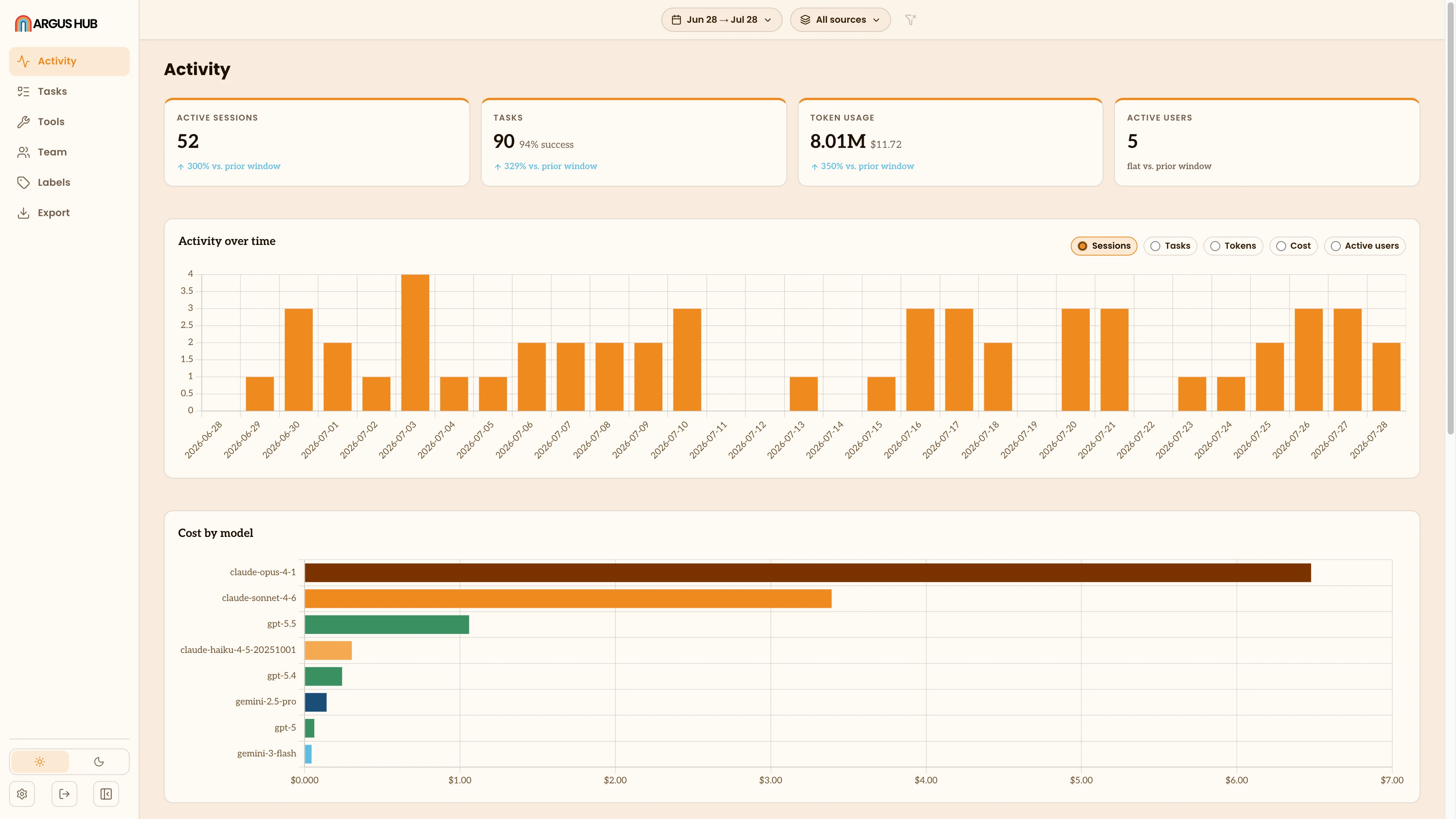
Open the Hub URL in a browser. The dashboard groups organization-wide usage into these views:

| View | What you can see |
|---|---|
| Activity | Usage and cost for the whole organization or one person |
| Tasks | Extracted tasks, including outcomes, frustration and interrupted rates, and top failure signals |
| Tools | Tool and MCP server usage across the organization or for one person |
| Team | Per-user sessions, tokens, estimated cost and last-sync time |
| Export | Download the full dataset as a Snowflake-ready zip |
The user/group picker appears after at least one client syncs. Leave it on All for an organization-wide view, or choose one person or group to scope Activity, Tasks and Tools. The Team table can be sorted by any column, and clicking a row opens that person's own activity view.
Query Hub from an agent
Hub provides a read-only MCP endpoint at POST /mcp. It uses the stateless Streamable HTTP transport, so an MCP client sends JSON-RPC requests directly over HTTPS without a subprocess or a session.
| Tool | What it answers |
|---|---|
query_activity | Usage and cost over a time window, including the previous window for comparison |
query_tasks | A paged, filterable list of extracted tasks |
query_task_quality | Success, frustration and interruption rates, outcomes over time and failure signals |
query_tool_usage | Which tools and MCP servers people use |
query_users | User IDs, display names, emails, last-sync time, sessions, tokens and cost |
The first four query tools accept since, until, project, source, user and group filters. The source filter accepts claude, codex, gemini or cowork. The group filter takes a groupId, or __none__ for users with no group assigned. query_users accepts an optional group filter (matching a groupId or groupName) and can help you find a userId before scoping another query.
Authenticate with the Hub admin password:
Authorization: Bearer <admin-password>For Claude Code, add the endpoint with:
claude mcp add --transport http argus-hub https://hub.internal:4343/mcp \
--header "Authorization: Bearer <admin-password>"Treat the admin password as a shared read credential after you give it to an agent. Anyone who holds it can query the organization's activity, tasks and tool usage. If Hub runs without ADMIN_PASSWORD, the MCP route is open, so set a password for any shared or network-accessible deployment.
Export Hub data
argus-hub export snowflake creates a consistent Snowflake-ready snapshot of the live Hub database. Add --load to upload it with the built-in connector, or use the generated JSONL files and load.sql for a manual or scheduled load.
See Export Argus Hub data to Snowflake for data coverage, setup, authentication, scheduling and limitations.
Keep a Hub private
Place Hub behind a VPN or a reverse proxy with TLS. Do not expose it directly to the internet. The Hub database contains the session data of every syncing user, so restrict filesystem access and include it in backups. Hub sets new database files to mode 0600.
The client sends resolved usage rows, session summaries, tasks, interaction metadata, tool and MCP invocations and labels. It does not send retained prompt and response text or BYO API keys. The client's local argus.db file never leaves the machine as a file.
Data flow
Argus clients --POST /api/sync--> Hub ingest --> hub.db
|
+--> dashboard and MCP queriesHub supports multiple organizations. Each API key belongs to one organization. Run separate Hub instances when unrelated tenants need strict isolation.
License
Argus Hub is licensed under the Functional Source License 1.1, which converts to MIT two years after each release. You can use, modify, distribute and build on Hub for personal, internal or commercial purposes. For the first two years, you cannot run a paid hosted service whose primary offering is Argus Hub as a service. The restriction does not cover a larger product where agent-usage reporting is a small feature.
See the Argus Hub repository for releases, the full deployment examples and support information.